

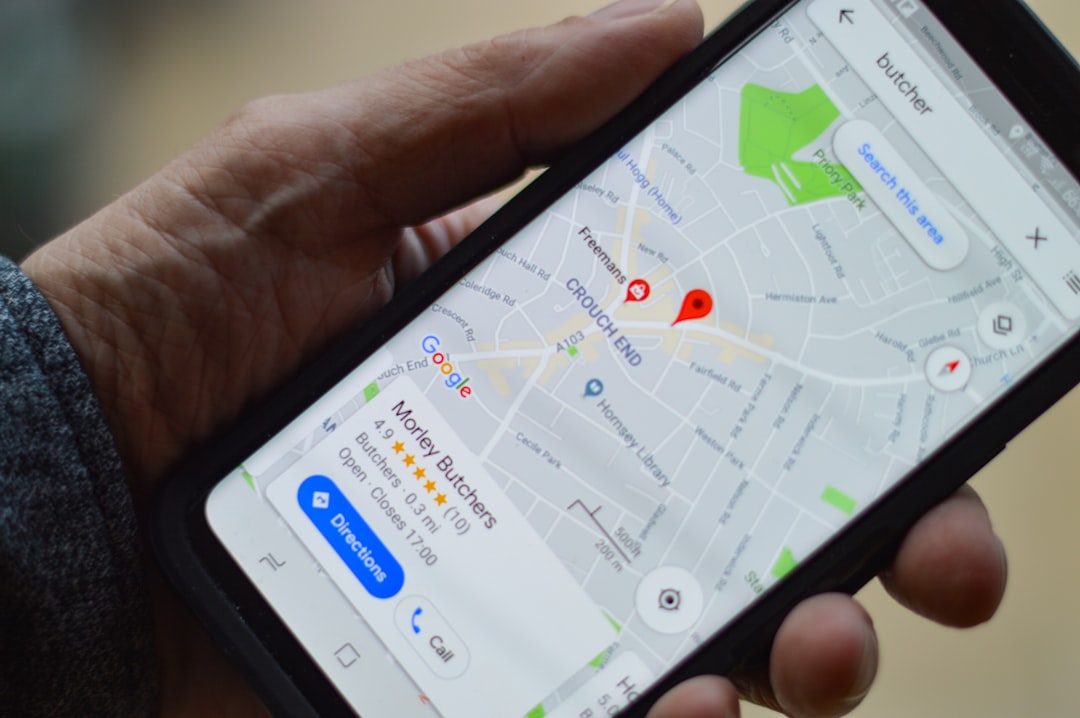
Sarah runs a successful HVAC company in Phoenix. Last month, she noticed something alarming: her phone had stopped ringing as much, even though it was peak season. Her website traffic looked fine, her Google ads were performing well, but something was off. When she dug deeper, she discovered the culprit hiding in plain sight — her Google Business Profile was sabotaging every other marketing effort she was making.
Here’s the thing most local service business owners don’t realize: Google’s 2026 algorithm updates have fundamentally changed how the search giant evaluates and ranks local businesses. What worked for your Google Business Profile last year isn’t just ineffective now — it’s actively hurting your chances of showing up when customers search for your services.
If you’re wondering why your leads have plateaued or declined recently, your Google Business Profile might be the silent killer in your marketing stack. But here’s the good news: most of these issues can be fixed in about 30 minutes, and the impact on your lead generation can be immediate and dramatic.
The Hidden Cost of Google Business Profile Neglect in 2026
Google’s latest algorithm updates have made one thing crystal clear: they’re prioritizing businesses that maintain active, complete, and engaging profiles. The days of “set it and forget it” are over. Google now treats your Business Profile as a real-time indicator of how serious you are about serving customers.
The numbers tell a stark story. According to recent data from local search studies, businesses with fully optimized Google Business Profiles generate 3x more phone calls than those with basic, incomplete profiles. More importantly, these optimized profiles show up in the coveted “3-pack” (those top three local results) 67% more often than neglected profiles.
But here’s what’s really happening behind the scenes: Google is using your profile activity, completeness, and customer engagement as ranking signals. Every missing piece of information, every outdated photo, every unanswered question is sending a signal to Google that you’re not actively managing your business online. And Google responds by showing your competitors instead.
The ironic part? Most of your competitors are making the exact same mistakes. While they’re focused on expensive ad campaigns and complex SEO strategies, the businesses that fix these simple Google Business Profile issues are quietly stealing their market share.
Mistake #1: Your Business Hours Are a Conversion Killer
Let’s start with something that seems basic but is costing you leads every single day: your business hours. If your hours are outdated, incomplete, or don’t reflect your actual availability, you’re literally telling potential customers to call your competitors instead.
Here’s a real example: Mike’s Plumbing in Denver lost an entire weekend’s worth of emergency calls because his Google Business Profile showed he was closed on Saturdays, even though he offered weekend emergency services. Those customers didn’t wait around — they called the next plumber whose profile showed Saturday availability.
The most common hours-related mistakes:
- Showing closed during times you actually take emergency calls
- Not updating seasonal hour changes (like shorter winter hours for landscapers)
- Forgetting to mark holiday schedules
- Not using the “special hours” feature for unique services
Google’s special hours feature is particularly underutilized. This allows you to show different hours for different services — like regular hours for routine appointments but 24/7 availability for emergencies. If you’re a locksmith, roofer, or any service business that handles urgent calls, this feature alone can dramatically increase your after-hours lead volume.
Quick fix: Log into your Google Business Profile right now and verify every single hour listing. Add special hours for emergency services, update any seasonal changes, and set your holiday schedule through the end of 2026. This takes about 5 minutes and can immediately improve your visibility during peak demand times.
Mistake #2: Your Photos Are Doing More Harm Than Good
Your photos might be the biggest factor determining whether someone calls you or scrolls past to your competitor. In 2026, Google’s algorithm heavily weighs visual content quality, and poor photos are treated as a negative ranking signal.
The brutal truth: those blurry phone photos you uploaded three years ago are making your business look unprofessional and outdated. Studies show that businesses with high-quality, recent photos receive 42% more direction requests and 35% more website clicks than those with poor visual content.
The three types of photos that actually drive calls:
-
Before/after transformation shots - These work incredibly well for contractors, landscapers, and cleaning services. They show immediate proof of your capabilities.
-
Team photos showing actual work - Pictures of your crew in action build trust and show you’re a legitimate operation, not just a guy with a truck.
-
Recent project photos with context - Don’t just show the finished product; show the problem you solved. A photo of a flooded basement alongside the restored room tells a powerful story.
Free tools to make your photos look professional:
- Use your phone’s portrait mode for team photos
- Take advantage of natural light whenever possible
- Use the free VSCO or Snapseed apps for quick color correction
- Google’s own Photoscan app can improve lighting and remove glare
The key is consistency and recency. Google rewards profiles that regularly add fresh, high-quality photos. Aim to upload at least 2-3 new photos every month, and make sure they accurately represent your current work and team.
Mistake #3: You’re Ignoring Google’s New Q&A Section
This might be the most overlooked opportunity in Google Business Profile optimization. The Q&A section appears prominently in your profile, often above reviews, yet most business owners completely ignore it. This is a massive mistake because unanswered questions send negative signals to both Google and potential customers.
When customers see unanswered questions in your profile, they assume you don’t monitor your online presence or care about customer service. Worse, Google’s algorithm interprets low engagement in this section as a sign that your business isn’t actively managed.
The 5 questions every local service business should pre-answer:
- “Do you offer emergency services?” (Include your emergency contact process)
- “What areas do you serve?” (List your primary service zones)
- “Are you licensed and insured?” (Provide license numbers and insurance details)
- “What payment methods do you accept?” (Include financing options if available)
- “How quickly can you respond to service calls?” (Set realistic expectations)
Template responses that convert browsers into callers:
Instead of basic yes/no answers, use responses that encourage contact. For example:
“Yes, we offer 24/7 emergency services throughout [your city]. Call us directly at [phone number] for immediate dispatch, or text us at [number] for faster response times during busy periods.”
This approach answers the question while providing multiple ways to contact you and reinforcing your availability. Proactively adding these Q&As takes about 10 minutes but can dramatically improve your conversion rate.
Mistake #4: Your Posts Strategy Is Stuck in 2024
Google Business Profile posts are no longer just nice-to-have content — they’re critical ranking factors. In 2026, Google expects consistent, varied posting activity, and the old strategy of posting once a week isn’t cutting it anymore.
Google’s algorithm now looks for businesses that post multiple times per week with different types of content. The businesses that understand this are seeing significant boosts in local search visibility, while those still posting sporadically are falling behind.
The content mix that Google rewards with higher visibility:
- Monday: Weekend project showcase or upcoming week preview
- Wednesday: Educational content (tips, how-to, seasonal advice)
- Friday: Team highlights or community involvement
- Plus emergency/seasonal posts as needed
30-second post ideas for busy business owners:
You don’t need lengthy content. These quick posts perform exceptionally well:
- A single before/after photo with one sentence about the project
- A photo of your truck at a job site: “Solving [specific problem] in [neighborhood] today!”
- Quick tip posts: “Pro tip: [one specific piece of advice]”
- Team appreciation: “Shoutout to [team member] for going above and beyond this week!”
The key is consistency over perfection. Google would rather see frequent, simple posts than occasional elaborate ones. Use your phone to take photos during regular work, and post them the same day with minimal editing.
Mistake #5: You’re Not Tracking What Actually Matters
Most business owners check their Google Business Profile views occasionally and call it good. But views don’t pay your bills — phone calls and direction requests do. If you’re not tracking the right metrics, you’re flying blind on what’s actually driving revenue.
The metrics that actually predict revenue growth:
- Phone calls from your profile (not just views)
- Direction requests (shows purchase intent)
- Website clicks to specific service pages
- Photo views on recent project images
- Q&A engagement rates
How to set up conversion tracking in 5 minutes:
Google Business Profile Insights already tracks most of these metrics, but you need to review them weekly and correlate them with your actual sales. Set up a simple spreadsheet that tracks:
- Weekly phone calls from Google
- Direction requests by day of the week
- Which posts generated the most engagement
- Which photos drove the most website clicks
Warning signs your profile is losing momentum:
- Declining phone calls despite steady views
- Fewer direction requests month-over-month
- Low engagement on recent posts
- Competitors appearing above you more frequently
If you notice any of these trends, it’s time for immediate action. Google’s algorithm moves fast, and once you lose momentum, it takes significant effort to recover.
The 30-Minute GBP Audit Checklist
Here’s your step-by-step walkthrough to fix all five mistakes today:
Minutes 1-5: Hours and Basic Information
- Verify all business hours are current and accurate
- Add special hours for emergency services
- Update holiday schedules through 2026
- Double-check your business description includes primary keywords
Minutes 6-15: Photo Audit and Upload
- Delete any blurry, outdated, or irrelevant photos
- Upload at least 3 recent, high-quality project photos
- Add team photos if you don’t have any
- Ensure your cover photo represents your best work
Minutes 16-20: Q&A Optimization
- Add the 5 essential pre-answered questions
- Review any existing unanswered questions and respond
- Write responses that encourage contact rather than just providing information
Minutes 21-25: Content Strategy Setup
- Create your first Google Business Profile post about a recent project
- Plan your posting schedule for the next two weeks
- Take photos during today’s work for future posts
Minutes 26-30: Tracking Setup
- Review your current Google Business Profile Insights
- Set up a simple tracking system (spreadsheet or notes app)
- Schedule weekly 5-minute reviews of your metrics
Free tools and resources for ongoing optimization:
- Google Business Profile mobile app for quick updates
- Your phone’s camera with good lighting
- A simple note-taking app for post ideas
- Weekly calendar reminders to check insights
How to maintain momentum without spending hours weekly:
- Take photos during regular work (no extra time needed)
- Post immediately after completing interesting projects
- Batch 3-4 posts during slower periods
- Respond to questions and reviews during coffee breaks
The businesses winning in local search aren’t doing anything magical — they’re just consistently maintaining their Google Business Profile while their competitors neglect theirs. This 30-minute investment today, followed by 10 minutes weekly, can transform your lead generation results.
Your Google Business Profile is working 24/7 to either attract customers or send them to your competitors. Which one it’s doing depends entirely on the actions you take in the next 30 minutes.
Ready to transform your Google Business Profile into a lead-generating machine? Get our free GBP audit and optimization service - we’ll identify exactly what’s holding back your local visibility and fix it for you. Book your strategy call today and let’s turn your profile into your best salesperson.