

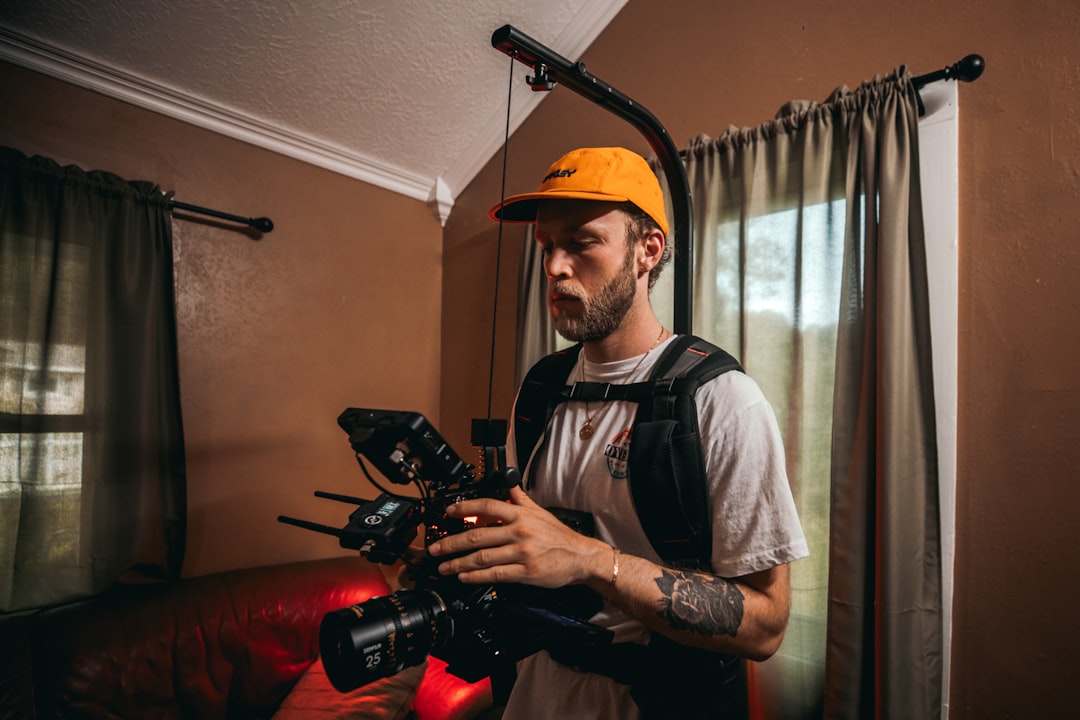
Your plumber’s gallery page looks like a museum exhibit from 2012. Twelve high-resolution photos of finished bathrooms, all shot in perfect lighting with granite countertops gleaming like they’re about to be featured in Better Homes & Gardens. The homeowner scrolling through it on their phone sees professional. They see polished. They also see… fake.
Then they call three other plumbers and book the one who showed them a 20-second video of a technician finding the clog, pulling it out (gross, real, undeniable), and the water draining clean. That second plumber didn’t have a portfolio degree. They had proof.
This is the core problem I’ve watched unfold across hundreds of local service websites over the last few years: the static gallery page is dead, but most contractors haven’t buried it yet. They keep adding more photos, investing in drone shots, creating slideshows that auto-advance because “it looks more modern.” Meanwhile, their conversion rates stagnate or drop, and they can’t figure out why.
The answer isn’t mysterious. It’s video. But not the expensive, professionally produced video that takes six weeks and costs $3,000. I’m talking about the unglamorous, raw, proof-based video that shows the actual problem, the actual solution, and an actual face the customer can trust.
Here’s why this matters for your business and what to do about it.
The Death of the Static Photo Gallery
For the first 15 years of local service websites, photos were king. A roofer could photograph a finished roof, and the image would sit on the page doing exactly one job: proving that roofs exist and you can install them. It was enough because most customers couldn’t imagine the work anyway. They needed reassurance that you’d completed projects. Photos provided that.
That equation has flipped.
The problem is two-fold. First, customers are genuinely skeptical of polished photos now. They know these images can be:
- Heavily edited or filtered
- Stock photos (seriously—I’ve caught contractors using photos from Unsplash)
- 10 years old and no longer representative of current work quality
- Shot from angles that hide sloppy workmanship
- Not actually from the contractor’s company
A roofing contractor in Austin told me last year that they were using a competitor’s photos on their old site because “the photographer did such a good job.” When they switched to raw video clips filmed on an iPhone by their lead technician, leads increased 34% within 60 days. The video wasn’t prettier. It was just honest.
Second, the consumer behavior shift is real and accelerating. According to Wistia’s 2024 video consumption study, 80% of viewers would rather watch a one-minute video demonstration of a service than read five product pages. For local services, this number skews even higher because the customer’s problem is hyperlocal—they want to see their type of problem solved, not a generic case study.
Here’s what changed: customers used to want reassurance that you existed and had done work. Now they want to see the transformation unfold in real time. They want to witness the problem identified, the fix applied, and the resolution confirmed. Photos freeze one moment—the “after” shot. Video narrates the entire journey, and that journey is what builds the confidence to pick up the phone.
The static gallery also fails at the storytelling level. A photo of a perfectly finished deck doesn’t answer the homeowner’s underlying questions:
- How messy will my yard get during this project?
- Will you actually show up on time like you promised?
- If something goes wrong, how will you handle it?
- Are you going to charge me extra for something discovered during the work?
Video can answer these questions in 30 seconds without saying a word. Show the technician stepping out of the truck. Show them identifying a second issue nobody mentioned upfront. Show them discussing options with the homeowner and explaining the additional cost with transparency. That’s the story that converts.
The Anatomy of a ‘Proof-Based’ Service Video
There’s a specific structure to videos that actually generate leads for local service businesses, and it’s almost the opposite of what most people think a “professional” service video should look like.
The formula is simple: 30 seconds, three key moments—face, problem, solution.
Here’s how it actually works:
The first 5 seconds establish credibility through the human face. Not a logo animation. Not your company name in fancy text. A real technician or owner looking directly at the camera and introducing themselves with a quick greeting. “I’m Marcus, and I’ve been doing HVAC for 12 years.” That’s it. The viewer’s brain now has something to anchor to—a real person, not a corporate entity. Trust starts moving in a positive direction.
The next 15 seconds show the problem. This is where the magic happens. You film the actual mess, the actual damage, the actual reason the homeowner called you in the first place. A plumber’s video shows the water pooling under the kitchen sink. A roofer’s video shows the shingles curling and the visible wear. An HVAC tech’s video shows the inside of a furnace covered in dust and debris. This is deliberately unglamorous. It’s supposed to be. A homeowner seeing this thinks, “Yes, that’s exactly what I’m dealing with,” and the video immediately becomes proof rather than marketing.
The final 10 seconds show the transformation. After the repair or replacement, you film the same space. Water gone. Roof new. Furnace clean. Brief. No voiceover needed. The visual contrast between problem and solution is all the persuasion you need.
The critical insight here: the unpolished quality is a feature, not a bug.
I know this sounds contrarian. Most service business owners believe that hiring a professional videographer, getting studio lighting, and producing a slick 90-second video showcasing their company culture will convert more leads. It won’t. In fact, I’ve watched expensive video productions get lower engagement rates than iPhone clips filmed by technicians on lunch breaks.
Why? Because the expensive version looks like advertising, and your brain has trained itself to distrust advertising. The iPhone version looks like proof. It has the artifacts of reality—slight camera shake, natural lighting, the kind of imperfection that screams “this actually happened, and I filmed it with my phone.” A homeowner watching this video trusts it more than they’d trust a polished commercial because, consciously or unconsciously, they know that’s harder to fake.
The other element that makes these videos convert is the narrative hook—addressing the customer’s specific fear right on camera.
Most contractors don’t do this. They film the work and assume the video speaks for itself. But customers have predictable anxieties:
- The dirt concern: “My house is going to be destroyed during this project.”
- The timeline concern: “You’ll tell me three days and then it’ll take two weeks.”
- The hidden cost concern: “You’ll find something during the job and charge me an extra $2,000.”
Address these directly in your videos. A water damage restoration company could film a technician saying, “When we tear out the drywall, it looks chaotic, but we protect your floors and furniture. Here’s how.” Then show the plastic laid down, the protective barriers, the organized workspace. Now the fear is answered before the customer even calls.
A roofer could film a technician explaining, “We’ll handle two-thirds of this job on day one, but the inspection and paperwork means we’ll be back for a couple hours on day two. Nobody likes surprises, so here’s the real timeline.” Suddenly, the customer calls expecting a two-day project instead of assuming day one will drag into week two.
These aren’t long-form explanations. Thirty seconds per video, max. One clear concern addressed, one clear resolution shown.
Technicals: Making Video Work Without Slowing Your Site
Here’s where most contractors destroy the conversion advantage they’ve just built: they upload a 500MB video file directly to their website, it takes 15 seconds to load on mobile, their Core Web Vitals tank, and Google deprioritizes the page in search results.
The technical execution matters as much as the content.
First, understand the speed trap. Video is heavy. An unoptimized 4K video file embedded directly into your site’s code will:
- Slow down page load time significantly
- Increase your hosting costs if you’re not careful
- Get penalized by Google’s Page Experience signals
- Cause users on slower connections to bounce before the video even starts
Your conversion engine just became a traffic killer.
The solution is third-party video hosting combined with lazy-loading. Services like Vimeo or Wistia specifically solve this problem. Here’s what they do:
They host the video on their optimized servers (not yours). When the page loads, the video doesn’t download immediately—it only starts when the user actually scrolls to that section or clicks play. This is called lazy-loading, and it keeps your page fast while still delivering the video when needed.
Your Core Web Vitals stay green. Google stays happy. Conversion rates don’t take a hit.
When you upload video to Vimeo or Wistia, you also get something that feels like a small bonus but is actually hugely valuable: direct-to-lead overlays. These are clickable call-to-action buttons that appear on top of the video itself. A homeowner watches your 30-second proof video, and at the 20-second mark, a button appears: “Get Your Free Quote.” They click it directly from the video, and you capture their information without them ever leaving the page.
This is lead capture at the moment of highest engagement—right when they’re most convinced you should be the one to handle their problem.
Technically, here’s the step-by-step:
- Film on your iPhone (you don’t need a DSLR or expensive camera)
- Edit in CapCut or DaVinci Resolve (both free, both totally adequate)
- Export at 720p or 1080p (4K is unnecessary and just makes the file huge)
- Upload to Vimeo or Wistia, not YouTube (better analytics and overlay tools for lead gen)
- Embed on your website using their embed code (not a direct file upload)
- Set up a call-to-action overlay to capture leads at peak engagement
That’s it. You’re now getting video working for you instead of against you.
The SEO Bonus: Video as an Answer Engine Signal
Here’s something most local contractors don’t realize: Google’s AI isn’t just looking at words on your page anymore. It’s looking at video content as a signal of authority and expertise.
When a homeowner searches “how to unclog a main sewer line Austin TX,” Google’s AI Overviews (the new search summaries powered by generative AI) prioritize pages that provide visual proof of the answer, not just text descriptions. If your page has a video that literally shows the problem identification and solution process, Google’s AI considers that more authoritative than 1,500 words of written explanation.
This is new, and most local contractors haven’t caught up. The opportunity is wide open.
Schema markup is the technical piece that makes this work. Schema is structured data that tells Google what’s actually on your page. For video content, you use VideoObject schema to tell Google:
- What the video is about
- How long it is
- A transcript of any voiceover
- When it was published
When you include this, Google can index your video more effectively and potentially display it in search results for relevant queries.
Here’s a concrete example: A contractor in Denver creates a video showing the process of identifying ice dams on a roof and the repair work involved. They add VideoObject schema with a transcript that includes the term “ice dam removal.” When someone searches “ice dam repair near Denver,” that video is now eligible to appear in Google’s answer section, driving qualified traffic directly to that page.
The secondary benefit is time on page. When a visitor watches your entire 30-second video, they’re spending more time on your page than if they just scrolled past text. Google measures this (it’s called engagement), and high engagement signals to Google that your page is valuable and authoritative for that topic. This boosts your ranking for related local searches.
Static photo galleries don’t provide this signal. A visitor glances at three photos and leaves. Average time on page: 12 seconds. A visitor watches a video, reads the text around it, and clicks the call-to-action overlay. Average time on page: 90 seconds. That engagement difference is real and measurable in your search performance.
Implementation: Your 30-Day Video Roadmap
Theory is helpful. Execution is everything.
Here’s exactly what you need to do in the next 30 days to convert your gallery page into a proof-based video powerhouse.
Week One: Equipment check and team buy-in
You need almost nothing:
- An iPhone 12 or newer (you probably already have this)
- A $20 lapel microphone from Amazon (search “iPhone lavalier mic”)
- Natural lighting (sunlight, honestly)
- A stabilizer if you want to reduce camera shake ($30-50