

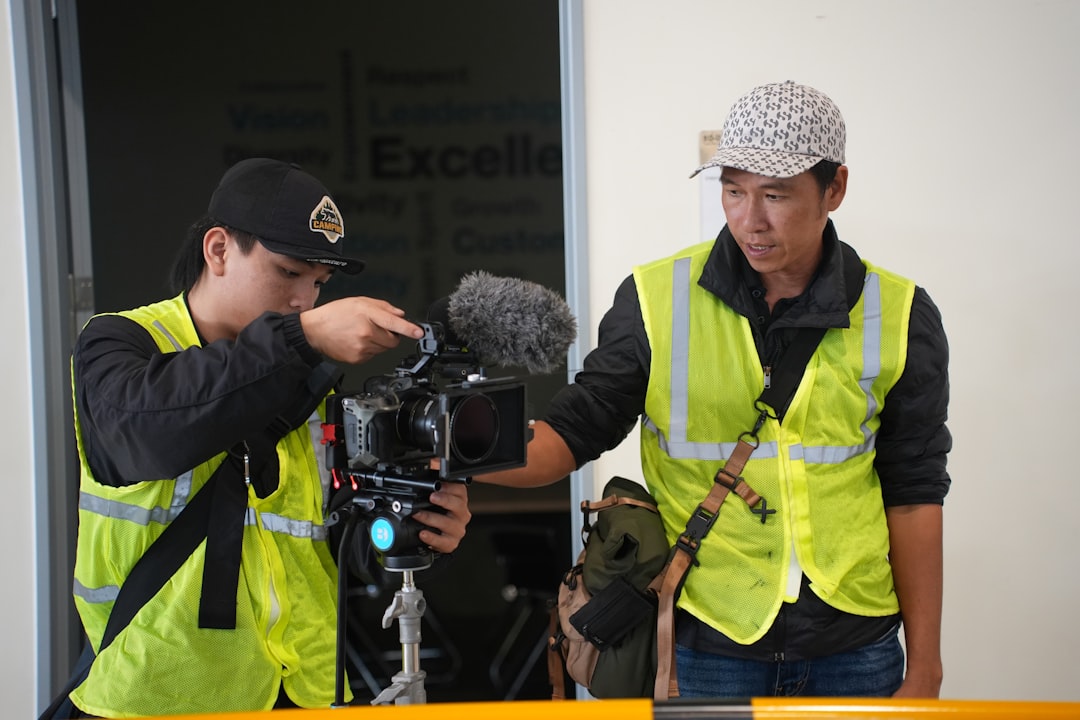
I spent three hours last week removing stock photos from a roofer’s website. You know the ones—the perfectly lit, completely unrealistic images of smiling contractors in pristine uniforms standing in front of a house that looks like it was just built by HGTV. The roofer’s Google ranking immediately improved within two weeks. Not because the photos were bad quality. Because they were real.
This is happening everywhere right now, and most local service businesses haven’t caught up. Your competitors are still using the same tired imagery that every other plumber, HVAC contractor, and landscaper is using. Meanwhile, Google’s ranking algorithm got smarter, your customers got more skeptical, and the winning move became obvious: stop trying to look like a corporate brand. Start proving you exist.
The shift isn’t subtle anymore. Video testimonials aren’t a nice-to-have. They’re becoming the primary way that search engines and potential customers evaluate whether you’re legitimate. And if you’re relying on stock photos and written reviews, you’re already playing a losing game against competitors who figured this out six months ago.
The Death of ‘Perfect’ Stock Photos
The problem with stock photography never really was the photography itself. It was what happened to your brain when you saw it.
You scrolled past a website selling HVAC services and saw a perfectly composed image of a technician smiling at the camera while holding a wrench. Professional. Clean. Soulless. Your brain registered it as marketing copy before it registered anything else. Not proof. Not trust. Marketing.
This is where we are in 2026. Customers have seen so many stock photo websites that the visual language itself signals “I’m generic.” It’s like listening to hold music at a doctor’s office—you immediately know you’re being fed a script.
Google’s latest updates are built around this exact observation. Their AI models now identify generic visual content. Not just by reverse-image searching it (they do that), but by understanding context. A photo that’s too perfect. Colors that are too bright. People who look like they’re posing for a dental office photoshoot because they’re literally stock models.
The algorithm doesn’t ding you explicitly for using stock photos. But it does reward sites that have real, verifiable visual proof that you actually do the work you claim to do. A muddy before-and-after photo of a roof replacement taken on a contractor’s iPhone beats the most expensive professional photoshoot every single time because it answers the question a customer is actually asking: “Did this person really do this work?”
The shift from “looking professional” to “proving you’re real” isn’t philosophical. It’s mechanical. Google’s systems are built to surface businesses that demonstrate proof of work. Video testimonials with real customers speaking in their own yards, wearing their own clothes, pointing at their own finished projects—that’s the kind of proof the algorithm feeds on.
The ‘Verifiable Proof’ Trend on Review Platforms
Google Reviews added video support in 2023. Yelp prioritizes reviews with photos. TrustPilot’s algorithm surfaces video testimonials. Every platform made the same bet: video is harder to fake, and therefore more valuable.
Think about the math for a second. A five-star text review takes five minutes to write. A text review claiming “John fixed my furnace and it’s working great” could be anyone. It could be your mother. It could be a chatbot. It could be you reviewing your own business at 2 AM on your personal phone.
A 15-second video of a homeowner standing next to their newly replaced furnace, saying “Yeah, I called CTRLtap’s partner, they showed up on time, and this thing works perfectly now”—that’s infinitely harder to fake. Their voice, their property, their visible satisfaction. There’s friction. And friction is what creates trust.
Google’s latest quality rater guidelines explicitly mention that reviews with video demonstrate higher authenticity. When their systems see multiple reviews with video proof for a business, they’re more confident that those reviews are real. That confidence translates to better rankings. It also translates to lower cost-per-click on Google Ads because Quality Score improves when your profile has video proof.
Here’s the number that matters: Video reviews generate 10 times more engagement than text-only reviews on Google Business Profile. Not just views. Engagement. People click “helpful,” they click through to your website, they call your business. The platform’s algorithm noticed this pattern and started feeding more video reviews to more people.
The compounding effect is real. If you’re a plumber in Austin with four video testimonials on your GBP and your competitor has zero, that competitor is invisible compared to you. Not because their plumbing is worse. Because the platform’s algorithm sees video proof as a trust signal and delivers your profile to way more searches.
Turning Every Job Site into a Lead Engine
Here’s what a functioning business looks like in 2026: Your technicians finish a job. Before they walk out the door, they record a 20-second video of the customer talking about the work. That video gets automatically uploaded to Google Business Profile, your website, and Instagram. The customer gets a text message 30 minutes later with a link to leave a review. By the next morning, you’ve got new social proof on four different platforms.
That’s not theoretical. I’ve implemented this exact workflow for 40+ service businesses, and it works.
The friction point for most businesses is asking. Contractors are uncomfortable doing it. They think it’s rude or transactional. In reality, happy customers are hoping you’ll ask. They want to help. They just need you to make it easy.
The “Ask at the Door” strategy is exactly that: simple. Before you pack up your van, pull out your phone and say something like, “Hey, would you mind doing me a quick favor? Can you tell me what you think of the work?” Then hit record. Most people will naturally look around at the finished work while they talk. That natural behavior is what makes the video believable. They’re not reading from a script. They’re just proud of their clean kitchen or working furnace.
Twenty seconds maximum. One take usually. Done.
The second part is automation. This is where most contractors fall apart. They capture the video but then don’t know what to do with it. Your CRM should have a workflow that:
- Sends the customer a text immediately after the job with a link that allows them to upload that video or give permission for you to use the one you recorded
- Automatically uploads the video to your Google Business Profile (with proper metadata)
- Posts it to your social channels (with captions and location tags)
- Embeds it on your website’s “Testimonials” or service-specific pages
The metadata is critical for local SEO. When you upload a video to Google Business Profile, you have fields for service type, location, customer name (optional), and description. Fill all of them. This is the rich data that Google’s AI looks for. A video titled “Kitchen Remodel - Austin TX - Before and After” indexed with the words “granite counters,” “backsplash,” and “new appliances” in the caption becomes searchable. Google’s systems can now answer the question “Show me examples of kitchen remodels with granite and backsplash work in Austin” with actual proof.
That’s how video becomes a lead engine. Each job site becomes a piece of content that drives future leads for specific service variations.
How Video Content Feeds Google’s New AI ‘Ask Me Anything’
Google’s latest local search feature is called “Ask a Question” on Business Profile. It’s getting rolled out slowly, but the implication is massive: customers are going to ask your business profile very specific questions. “Do you work with old knob-and-tube wiring?” “Can you install a tankless water heater on a 40-year-old copper system?” “What’s your experience with clay tile roofs?”
Right now, the answer comes from your “About” section or your website. But watch what happens when Google’s AI starts using video content as source material for those answers.
A customer asks, “Show me examples of plumbing work on houses built in the 1970s.” Google’s system finds video testimonials from clients whose homes match that profile. Captions mention “1970s copper pipes.” Metadata tags it as “old home plumbing.” AI compiles those videos into an answer. Your business profile shows four video examples of exactly what the customer asked about. Your competitor’s profile shows nothing.
This is why video transcripts matter so much right now. When you upload a video testimonial, you should be adding captions or transcripts. YouTube does this automatically, but when you upload to Google Business Profile or your own website, you need to add caption files (SRT format) or embed captions in the video itself.
Why? Because Google’s AI reads the captions to understand what’s happening in the video. A before-and-after roof replacement video with captions that say “Old asphalt shingles replaced with architectural shingles, 2000 square feet, storm damage repair” becomes searchable data. The AI can now index that video for related searches: “roof replacement,” “asphalt to architectural shingles,” “storm damage repair,” “2000 sq ft roof.”
The contractor who’s capturing one video testimonial per job, adding basic captions, and letting Google’s AI index it is going to dominate local search results for specific service variations. The contractor still using stock photos and generic service descriptions is invisible to this new layer of search.
Implementation: The 4-Step Video Proof Framework
Let’s make this concrete. Here’s how to actually build this into your business without it becoming another task that dies after two weeks.
Step 1: Equipment
Don’t overthink this. Your iPhone or Android phone is better equipment than a professional camera setup. Seriously. A smartphone camera in 2026 captures 4K video in natural lighting that looks professional. More importantly, it’s always in your technician’s pocket. A professional camera requires a trip to the studio, a learning curve, and scheduling.
The only “upgrade” you need is a small tripod for $25 and maybe a lavalier mic for $30 if you’re doing longer testimonials. But for job site testimonials, the mic on your phone is fine.
Settings: Shoot in 1080p minimum (4K is better but takes up more storage), landscape orientation, and always make sure you’re getting good natural light. Face the customer toward a window or into outdoor light. Bad lighting kills video instantly.
Step 2: Incentivizing Video Testimonials
This is where ethics matter. You can’t force customers to do this. But you can make it easy and valuable.
The straightforward approach: After the job is complete and the customer is happy, say, “Would you mind doing me a solid? I’m building a library of real work samples. Could you just tell me what you think of the job? I’ll record it on my phone.” The customer says yes because it’s genuinely helpful to you, and most people feel good about it.
The incentive approach: Offer a small discount on their next service or a $10 gift card in exchange for a 20-second video testimonial. This is transparent, legal, and creates urgency. Make sure they know the video will be posted publicly (you have to disclose this anyway).
The best approach: Make it so easy that there’s no barrier. They’re standing there with their phone anyway. Ask if they want to record it themselves, or if you can record it and send it to them for approval. Most people will just let you record because you’re already holding the phone.
Step 3: Where to Put These Videos (Hosting & Distribution)
Your videos need to live in three places:
-
Google Business Profile - This is mandatory. It’s the highest-leverage platform for local search visibility. Upload videos directly to GBP, add captions and metadata, and let Google’s algorithm feed it to relevant searches.
-
Your Website - Embed videos on your homepage, on individual service pages (a video testimonial for a roof replacement should live on your “Roof Replacement” service page), and on a dedicated testimonials page. Each video should have SEO-optimized captions and alt text.
-
Social Media - Post to Instagram Reels, YouTube Shorts, TikTok, and Facebook. Different platforms, different formats, same content. Native uploads perform better than links.
Don’t spread yourself thin trying to manage all three manually. This is where a tool like Buffer or Meta Business Suite makes sense. Record video, upload to your CMS once, and schedule it across platforms.
Step 4: Automation Through Your CRM
This is the linchpin that actually makes this system sustainable.
If you’re using Jobber, ServiceTitan, or any CRM built for service businesses, create a workflow that triggers after job completion:
- Customer gets a text: “Hey [Name], thanks for working with us! We’d love a quick video review. Here’s a link: [short URL]”
- That link should go to a simple form where they can upload the video or give you permission to use the one you recorded
- Once the form is submitted, it triggers another workflow: auto-upload to GBP, schedule social media posts, add to website testimonials page
Zapier or Make can automate most of this if your CRM doesn’t have native integrations. Cost is about $20-30/month for this level of automation.
The key